


Quant Bridge Logo

Connect the QuantConnect Platform with Bloomberg™ EMSX API Server

For rapid backtesting, optimization, and live trading to 1,300+ liquidity pools.

Quant Bridge Hero Image

Research, Backtesting, and Optimization, with Data Sourced from the Bloomberg EMSX API SERVER

LEAN can now connect to the Bloomberg™ Desktop or EMSX API SERVER, thanks to the plug-in that we refer to as "Quant Bridge." The product is in no way affiliated with or endorsed by Bloomberg™. When LEAN taps into Bloomberg™ via Quant Bridge, it can run backtests and research notebooks from data sourced from the Bloomberg™ Terminal.

Blue Arrows
research icon

Research

Perform research using the latest machine-learning libraries, then backtest and live trade the same code in LEAN sourcing data from the Bloomberg terminal by the Quant Bridge plugin.

historial data icon

Historical Data Caching

Quant Bridge allows caching data locally in an efficient format for quick backtesting in the LEAN engine. After years of evolution, LEAN can achieve millions of bars per second in event-driven backtesting.

fidelity icon

High-Fidelity Modeling

LEAN provides slippage, spread, and transaction fee models for realistic point-in-time backtesting. All models are customizable to adapt to your strategy requirements.

Get LEAN Today

Live Trade with QuantConnect's Quant Bridge and the Top 20 Prime Brokers

QuantConnect's Quant Bridge offers seamless connectivity to the world's top 20 prime brokers, facilitating efficient live trading. This feature enables traders to easily integrate and access a variety of financial instruments and markets. With support for major brokers, Quant Bridge enhances your trading capabilities by ensuring smooth execution and robust market access including Merrill Lynch, Deutsche Bank, JP Morgan, Barclays, Société Générale and Credit Suisse.

QUANTCONNECT ORDERS

live graphic

PRIME BROKERS

Route LEAN Executions to Major Prime Brokerages

Deploy Your Strategy to the EMSX™ Network

QuantConnect's LEAN Quant Bridge allows you to route orders to any of the 1,300+ liquidity pools in the Bloomberg EMSX™ network. You also can use the LEAN paper-trading functionality to test your strategy on Bloomberg™'s live data feed. Bloomberg™ is not affiliated with QuantConnect, nor does it in any way endorse Quant Bridge.

Tutorial Image
1

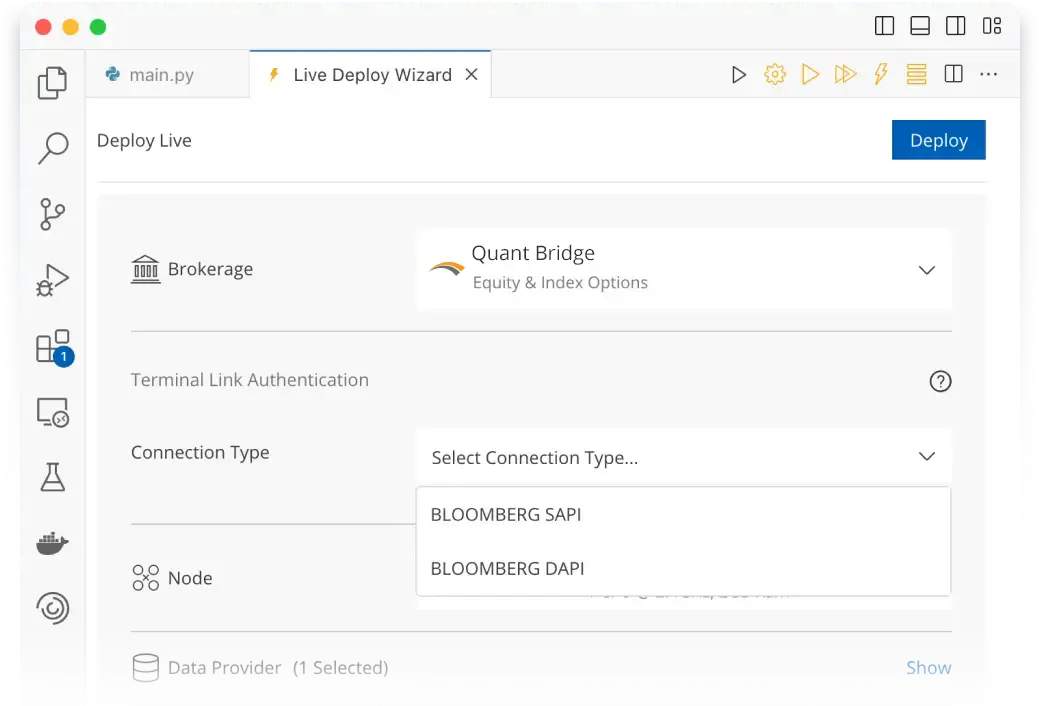
Select Deployment Method (FIX, DAPI, EMSX API SERVER)

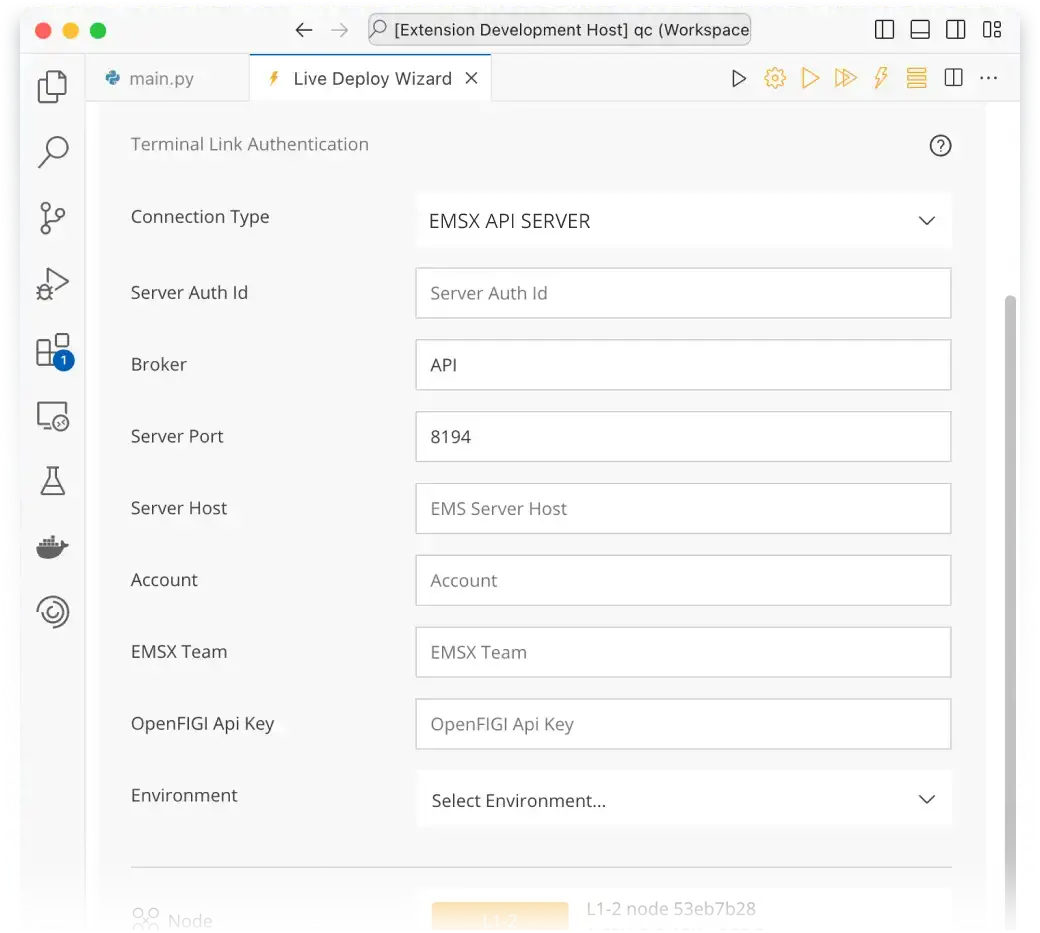
Choose the appropriate deployment method based on your needs. Open the project you want to deploy and navigate to the Deploy Live page. Select Quant Bridge as the brokerage option and choose EMSX API SERVER as the connection type. Enter your unique user identifier (UUID) and the necessary EMSX details, such as broker, account, and team.
Tutorial Image
2

Setup Terminal

Configure your EMSX API SERVER or DAPI setup by providing the server's public IP address, port, and relevant API key. Specify the live trading node you wish to use and set the environment. You may also modify data providers and input any existing cash or position holdings in your brokerage account.

Tutorial Image
3

Deploy Live Algorithm

Before deploying, consider enabling automatic restarts for resilience against runtime errors. Once configured, click Deploy. The deployment process can take up to 5 minutes. After deployment, verify your brokerage positions and other parameters on the live results page to ensure everything is correctly set up.

Compliance Notes
  • Bloomberg™ is not affiliated with QuantConnect, nor does it endorse Quant Bridge. All users of the integration must hold a Bloomberg™ License to be defined as an "Entitled User." All products must be used in accordance with established licensing terms set by Bloomberg™. All data accessed via the Bloomberg™ Desktop API must remain on the host computer. QuantConnect requires an Institutional plan of at least five users to access the Quant Bridge subscription.
  • All integration users must hold a Bloomberg License to be defined as an "Entitled User".
  • All data accessed via the Bloomberg Desktop API must remain on the host computer. The Bloomberg Terminal and the LEAN instance must be on the same computer. The Bloomberg EMSX API SERVER data can be accessed from client computers within the company network.
  • The Bloomberg EMSX API SERVER cannot provide data and works best with the QuantConnect Cloud. Any Bloomberg EMSX API SERVER usage will require soliciting permission via the Bloomberg Permission System.

Learn More Today